


MODULE 5. Core Content – Knowledge Base (Trainer Background)
By this stage, young people have explored:
- what digital well-being is (Module 1),
- why their digital habits form (Module 2),
- and how mindfulness and boundaries support intentional use (Module 3).
Now comes the practical part: helping them build personalised plans and strategies that fit their lives, their emotions, and their goals.
This module offers hands-on tools, templates, and creative methods that youth workers can introduce, adapt, or remix.
These tools are not prescriptions — they are invitations for young people to experiment, observe, and adjust.
The goal is simple: Support young people in designing a digital life that feels balanced, manageable, and meaningful.
Learning Objectives & Expected Outcomes
After completing this module, you’ll be able to:
- Introduce youth-friendly tools that support healthier digital habits.
- Guide young people in designing their own digital well-being plans.
- Help youth recognise persuasive design features and emotional triggers in apps.
- Use reflective tools (habit loops, mood maps, coping visuals) to build insight.
- Encourage small, realistic changes that support balance.
- Connect tools with mindfulness and boundaries introduced in Modules 2–3.
Module Overview – What This Module Covers
In this module, you’ll discover:
- Practical, evidence-informed tools that support digital balance.
- Templates young people can adapt to understand their habits.
- Strategies to reduce overwhelm (notifications, clutter, autoplay, streaks).
- How to help young people design their own digital well-being plans.
- Youth-led explorations of persuasive design and online pressures.
Core Content – Knowledge Base (Trainer Background)
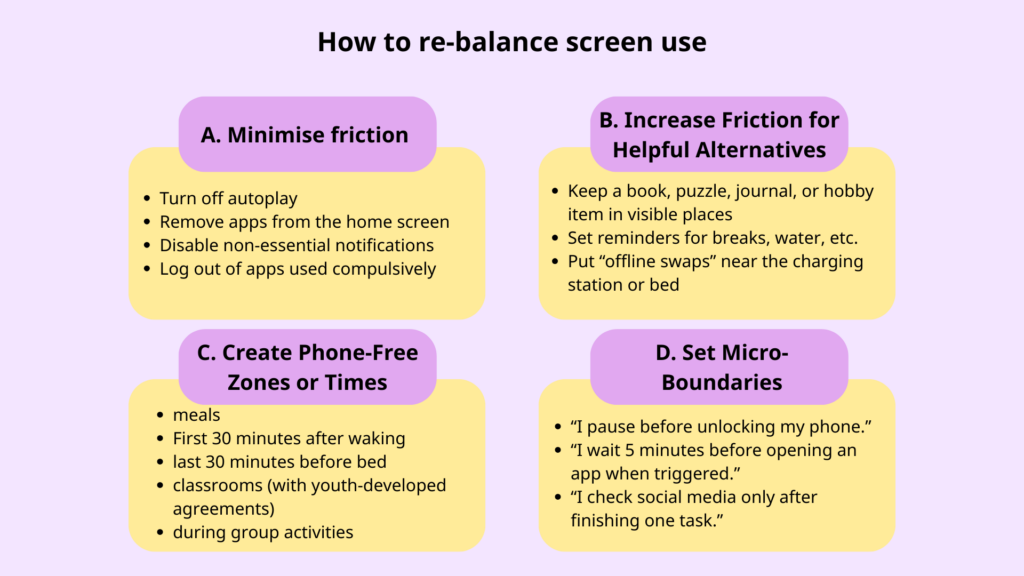
Realistic Strategies for Re-Balancing Screen Use
Most young people don’t benefit from strict limits. They benefit from small, realistic, youth-led adjustments, such as:
A. Minimising Friction (make unwanted habits harder)
- Turn off autoplay
- Remove apps from the home screen
- Disable non-essential notifications
- Log out of apps used compulsively
Why this helps: Reducing instant access increases intention.
B. Increasing Friction for Helpful Alternatives
- Keep a book, puzzle, journal, or hobby item in visible places
- Set reminders for breaks, water, or stretching
- Put “offline swaps” near the charging station or bed
- Creating Phone-Free Zones or Times
Examples include:
- meals
- first 30 minutes after waking
- last 30 minutes before bed
- classrooms (with youth-developed agreements)
- during group activities
D. Micro-Boundaries
Tiny commitments that feel doable:
- “I pause before unlocking my phone.”
- “I wait 5 minutes before opening an app when triggered.”
- “I check social media only after finishing one task.”
Why this works: Micro-boundaries bypass resistance and perfectionism. They build success early.
Helping Youth Understand Persuasive Design
Apps use deliberate design features to keep people engaged.
Common persuasive mechanisms:
- Autoplay → removes natural stopping points
- Infinite scroll → keeps the brain seeking more
- Likes & reactions → unpredictable rewards
- Streaks → create pressure to check daily
- Push notifications → interrupt focus and increase urgency
The key message for youth: “It’s not your fault if it’s hard to stop — your brain is responding to intentional design.”
Awareness reduces shame — and increases agency.
Habit Loops: Understanding the Cycle
A habit loop has three parts:
Trigger → Behaviour → Reward
Example (youth version):
Trigger: Feeling bored
Behaviour: Open TikTok
Reward: Quick stimulation → dopamine
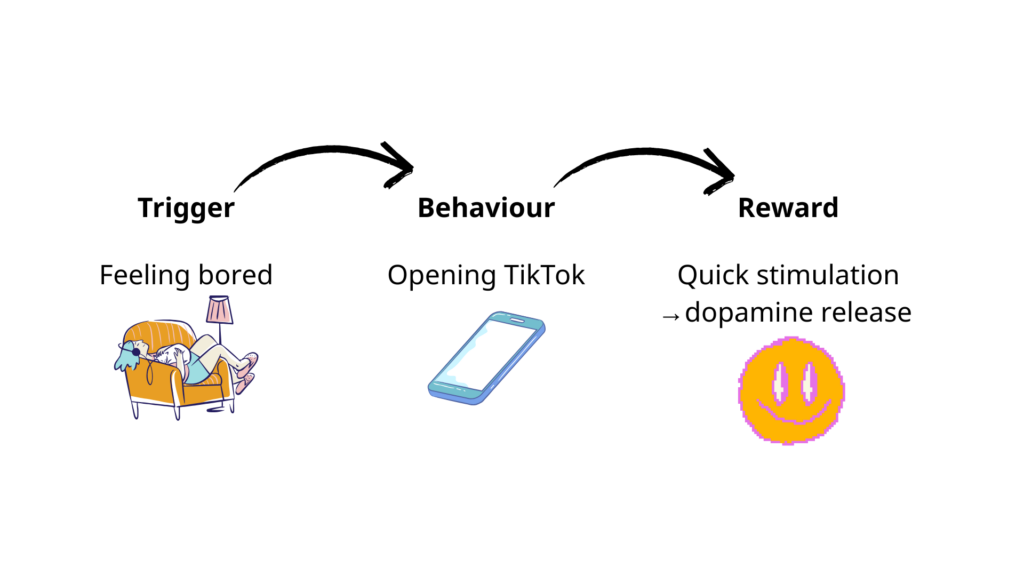
Once youth map loops, they can design alternative responses:
Trigger → New behaviour → Still meets the need
(e.g., stretch, message a friend, drink water, doodle, 3-breath pause)
Practical Tools (with templates in the final pack)
Tool 1 — The Digital Well-being Plan Template
A simple, youth-friendly planning sheet with:
- Current habits
- What I want to change (1–2 goals)
- Why this matters to me
- My triggers & needs
- Tools I’ll try
- When and how I’ll check in with myself
This is not a contract — it is a living, adaptable guide.
Tool 2 — Mood Mapping & Screen Use
Youth record:
- What they did online
- How they felt before, during, and after
- What they noticed later (sleep, mood, focus)
This builds emotional literacy and awareness of cause/effect patterns.
Tool 3 — Offline Swap Lists
Youth brainstorm enjoyable activities that meet the same needs as their screen use (connection, grounding, energy, inspiration, humour).
Examples:
- For boredom: drawing, music, walk, mini-game offline
- For loneliness: message a friend, voice note, talk to someone nearby
- For stress: breathing, stretching, journaling, grounding
Tool 4 — Notification & App Audit
A 10-minute reset that reduces overwhelm:
- Which notifications help me?
- Which drain me?
- Which apps can move to a folder?
- Which apps can I remove?
A small reset = big emotional relief.
Tool 5 — Persuasive Design Detective
Youth explore their favourite app and identify:
- Which features keep them hooked
- How those features make them feel
- What helps them stay in control
This builds critical digital literacy.
Tool 6 — Balanced Day or Week Planner
Youth visually map:
- focused time
- rest time
- offline activities
- social time
- screen use windows
Focus is on balance, not “less screen time.”
Why This Helps
Awareness → Choice. Tools give youth clarity about what they want — not what adults want for them.
Small changes = sustainable changes. Young people build confidence with tiny steps rather than big rules.
Replacing, not removing. When needs are met offline, compulsive scrolling naturally decreases.
Planning prevents overwhelm. Routines and visual planning reduce stress and increase success.